Math Keyboard
Math notation is awkward to type on a touchscreen. Martypex’s math keyboard is a dedicated input-accessory keyboard built for the job: it groups the symbols you reach for most, and it writes the correct syntax for the file you’re in.
Opening the math keyboard
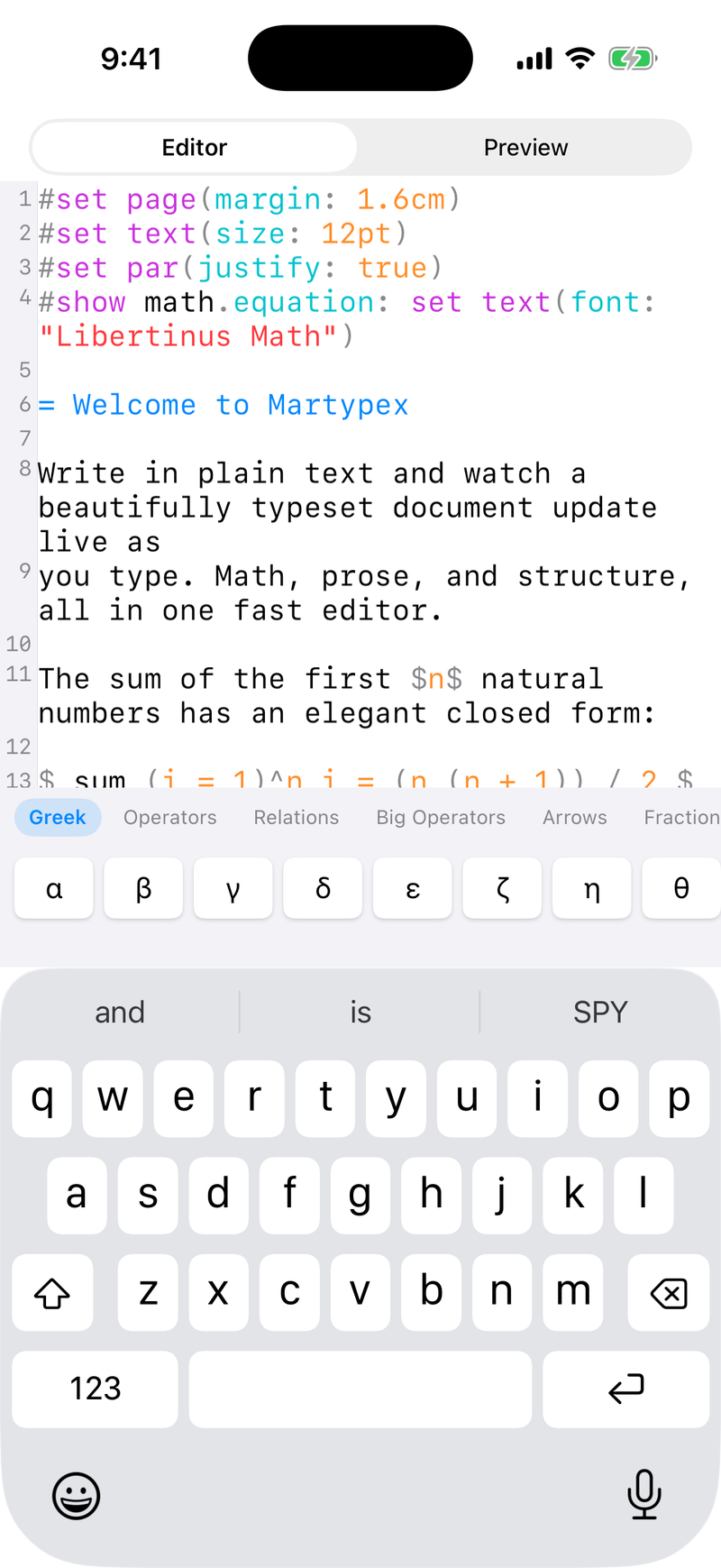
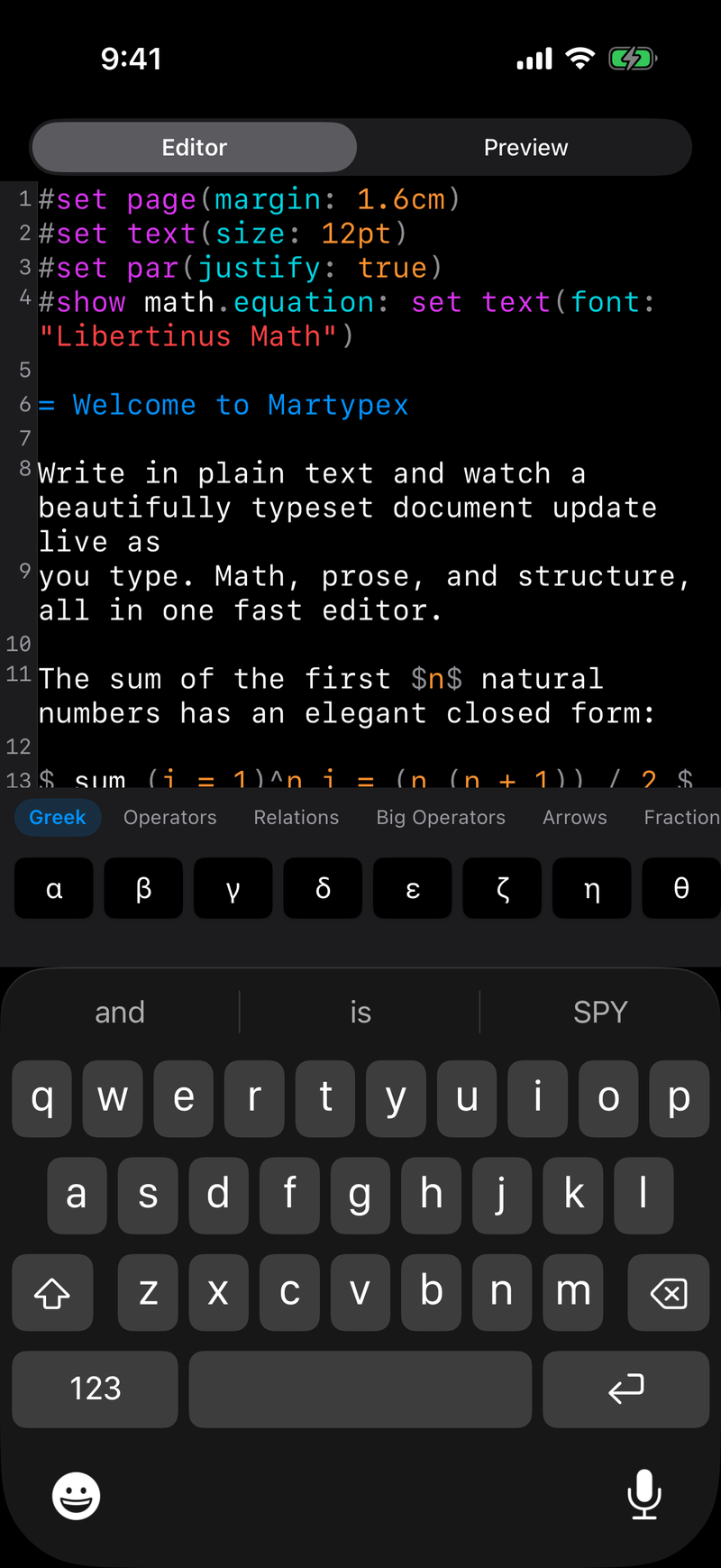
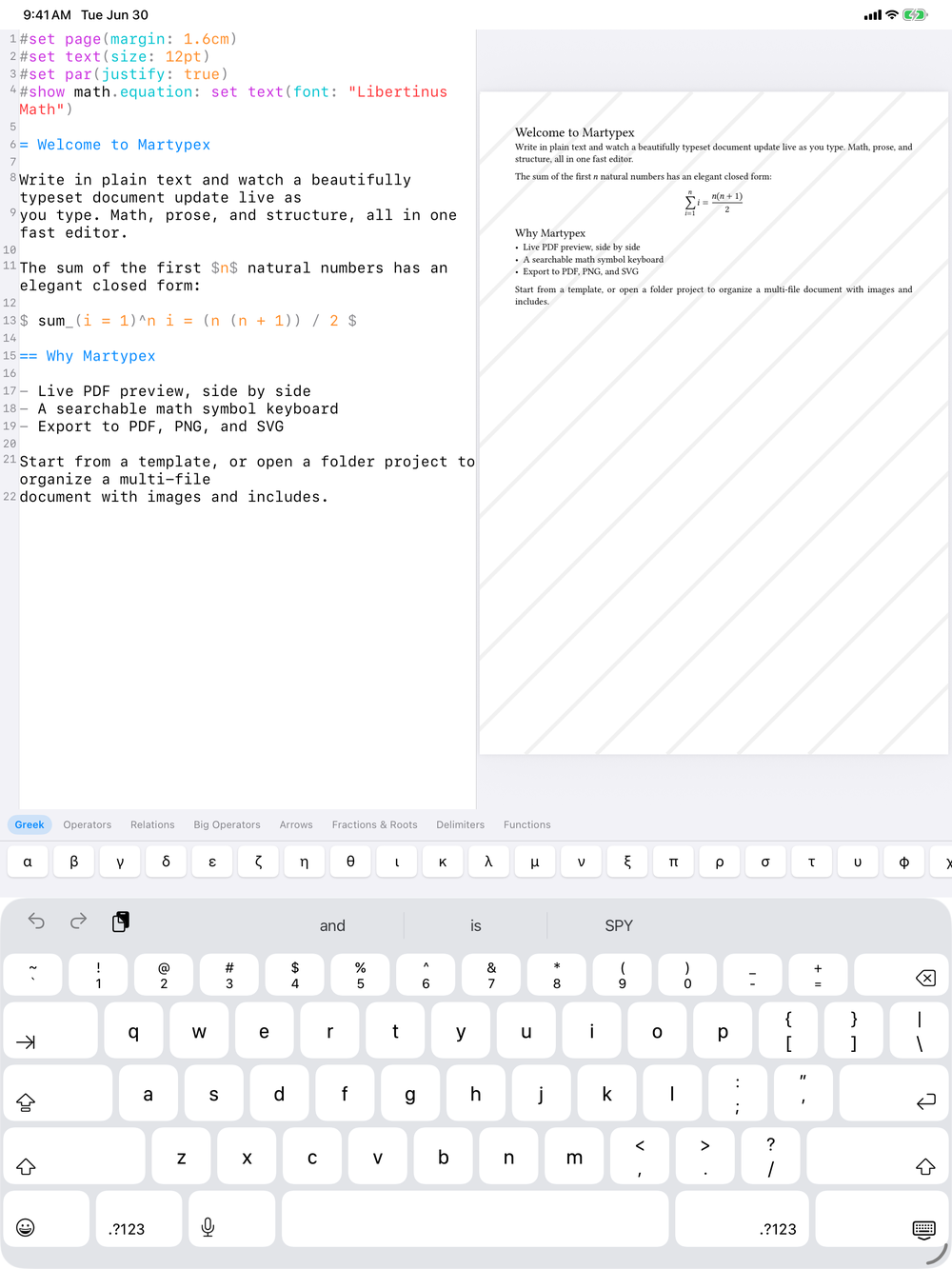
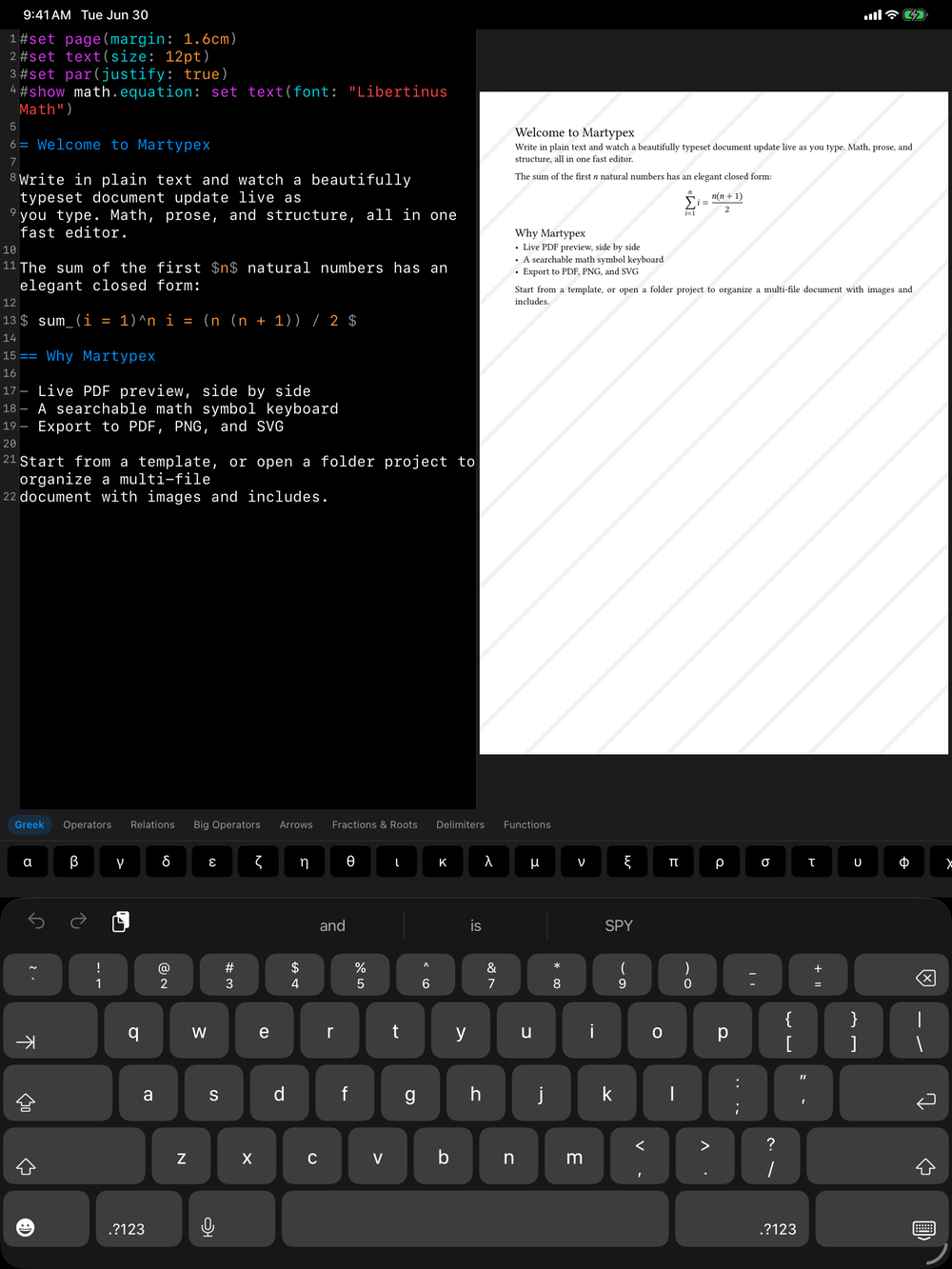
Tap the math key on the input accessory bar above the on-screen keyboard. The math keyboard replaces the standard accessory bar with symbol categories and a search field, and a tap on the same key returns you to normal typing.

Dialect-aware insertion
The keyboard knows which dialect you’re writing in and inserts the matching syntax automatically: Typst math syntax in .typ files, LaTeX-style math in .md files. You pick the symbol; Martypex picks the syntax, so you never have to remember which form a given file expects or fix it up afterward.
Symbol categories
Symbols are organized into categories so related notation stays close together: Greek letters, operators, relations, arrows, big operators (sums, products, integrals), and delimiters. Tap a category to browse it, then tap a symbol to insert it at the cursor. Keys are sized for comfortable tapping, on iPhone as well as iPad.
Searching by LaTeX name
Don’t know where a symbol lives? Search for it by the LaTeX name you already know, such as alpha, sum, or int, and the searchable symbol palette finds it regardless of category or target dialect.
The palette’s LaTeX-name aliases mean your existing LaTeX vocabulary carries over even when you’re writing Typst: search \leq or just leq and insert the right relation either way.